
Copy gebeurtenissen to multiple dates
This handleiding explains how to copy gebeurtenissen to multiple dates.
It is useful when adding multiple gebeurtenissen with the same content, such as shift work.
Inhoudsopgave
Screenshots
Stappen
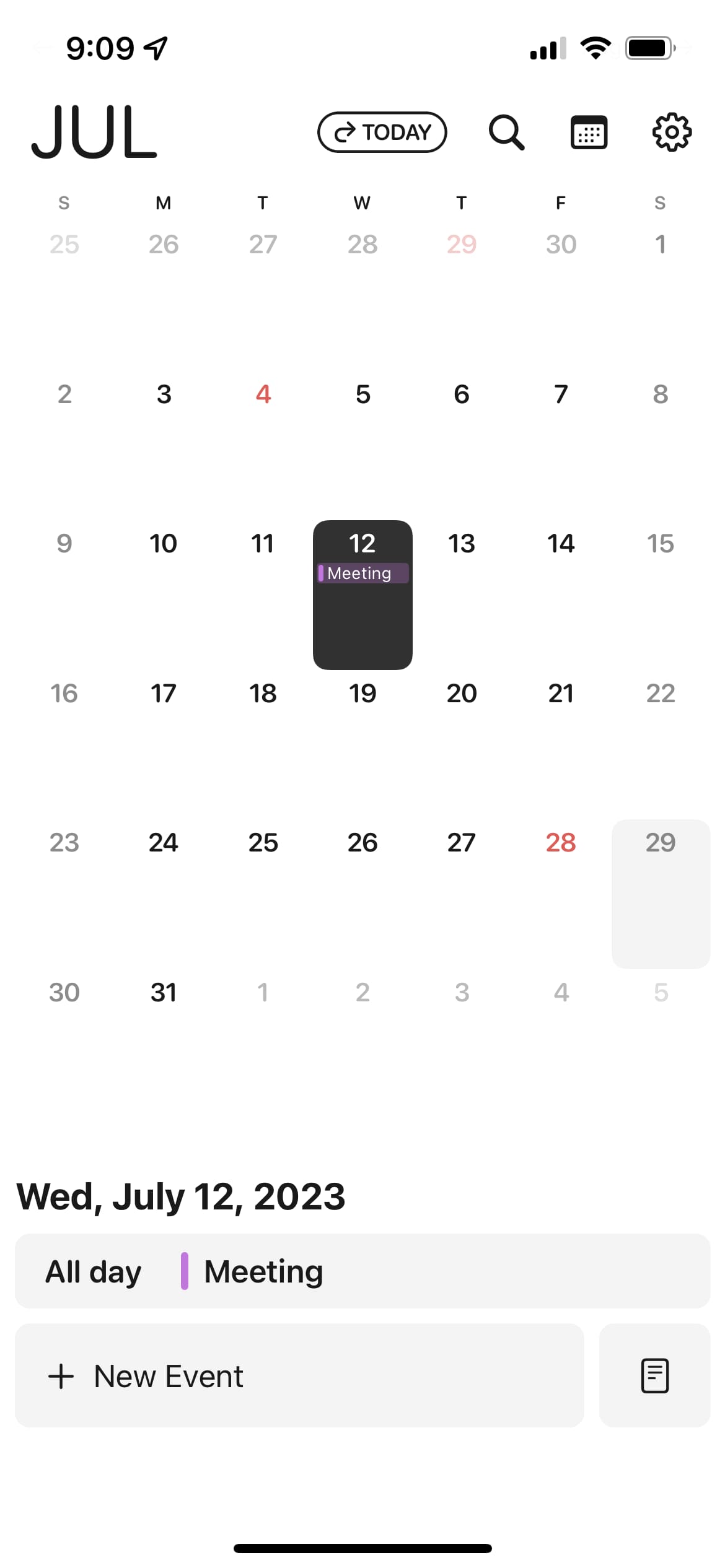
- Long press an gebeurtenis
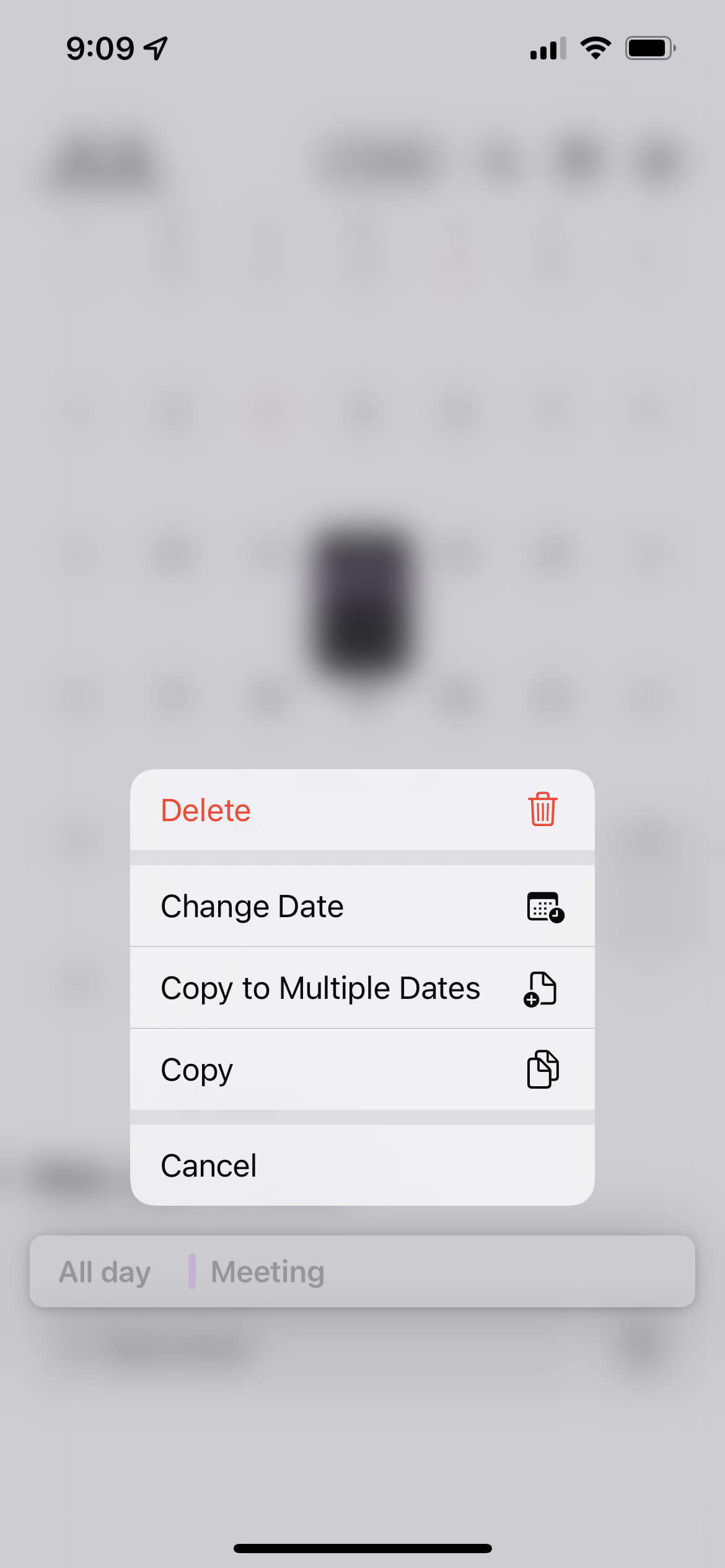
- Tik op "Kopiëren naar meerdere datums"
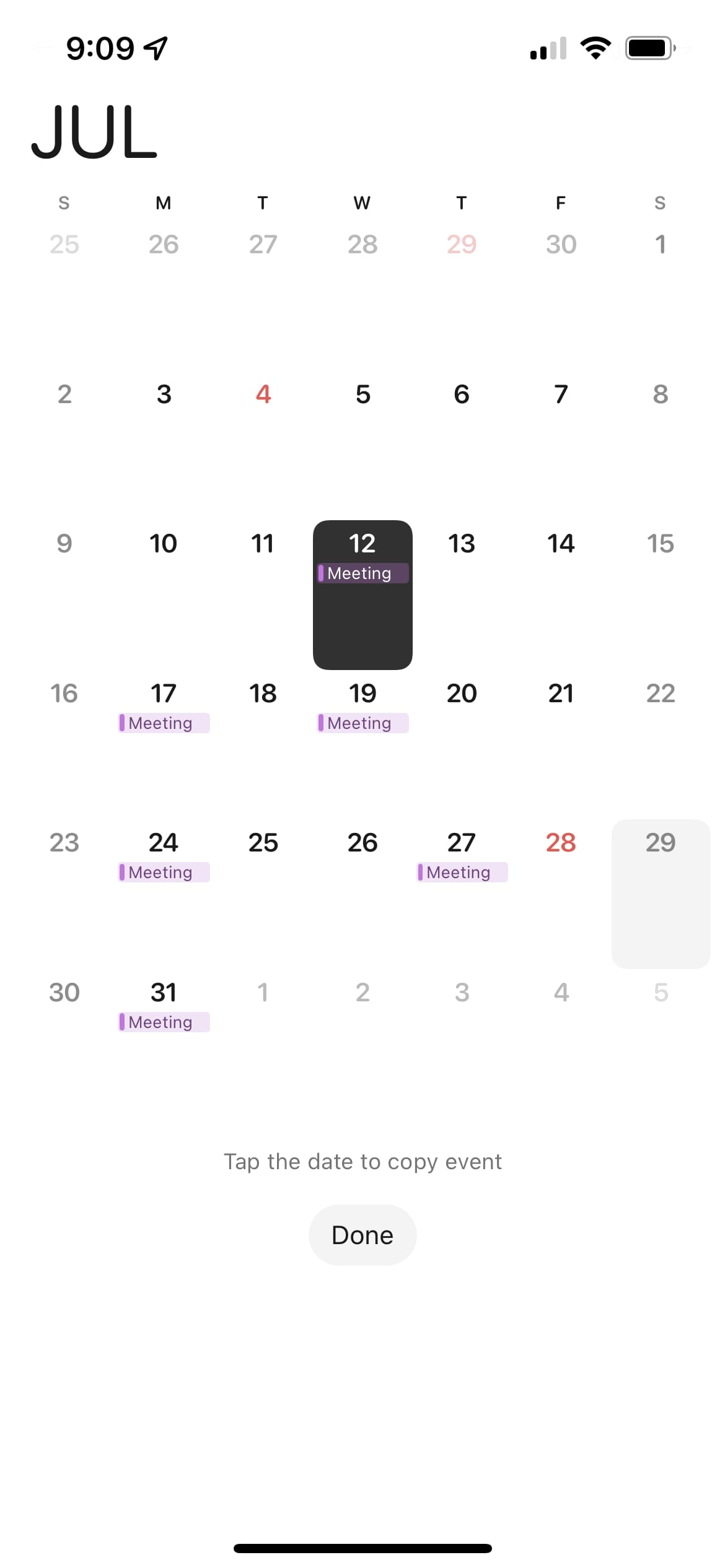
- Tik op dates to copy the gebeurtenis
- Tik op Gereed
Notities
- This feature is available after upgrading to minical pro.
- This feature may be changed or removed in future updates.